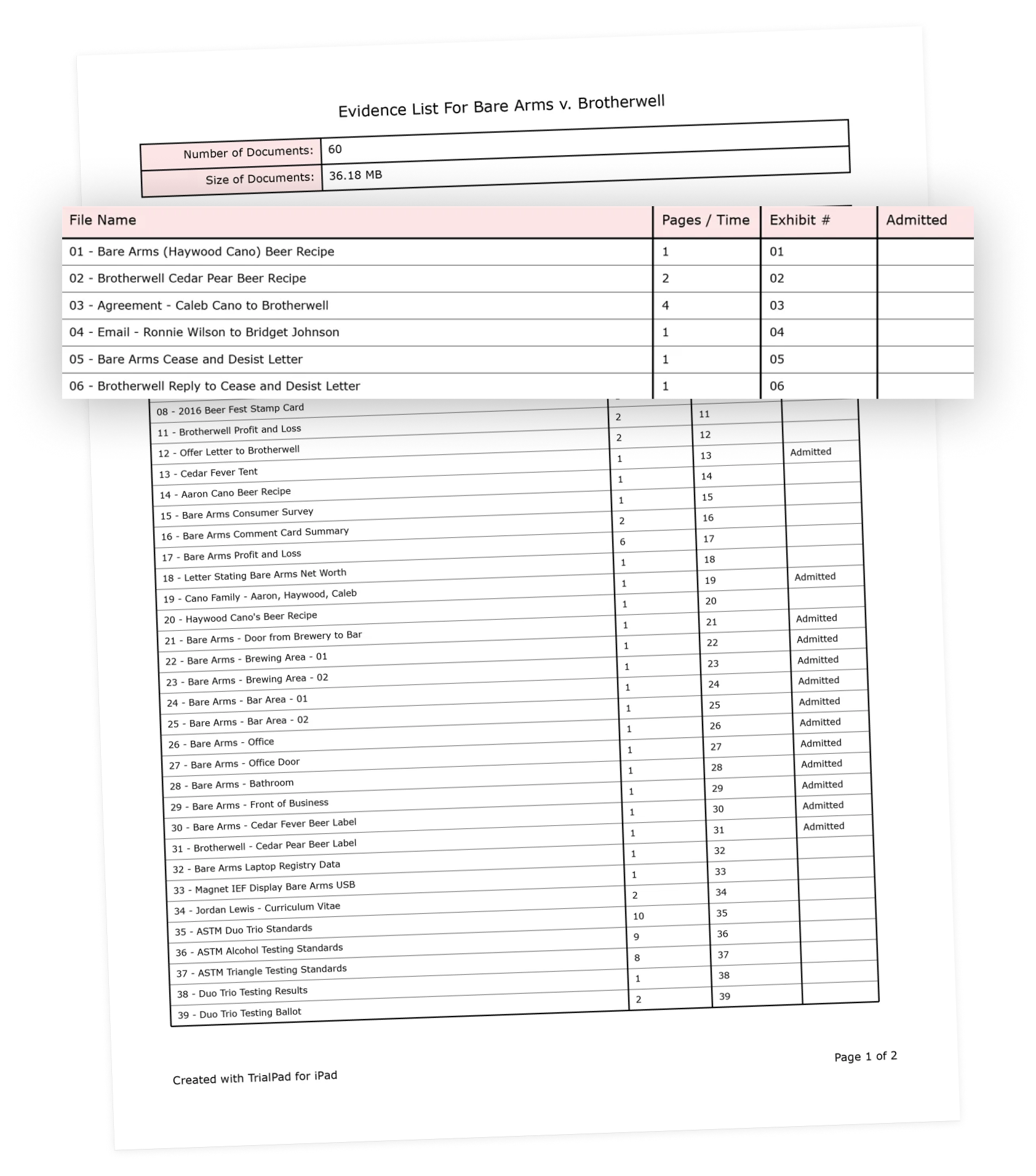
The Evidence List report provides an organized overview of the evidence in your case file.
What the Evidence List Report Includes
The report summarizes key details for each piece of evidence, including:
-
Total number of evidence items, such as documents or multimedia files
-
File name for each item
-
Page count for documents or duration for multimedia files
-
Exhibit number, if one has been assigned
-
Admitted status for each item
Generating an Evidence List Report
The Evidence List report is generated based on the current view in your Case File and automatically includes the contents of any subfolders.
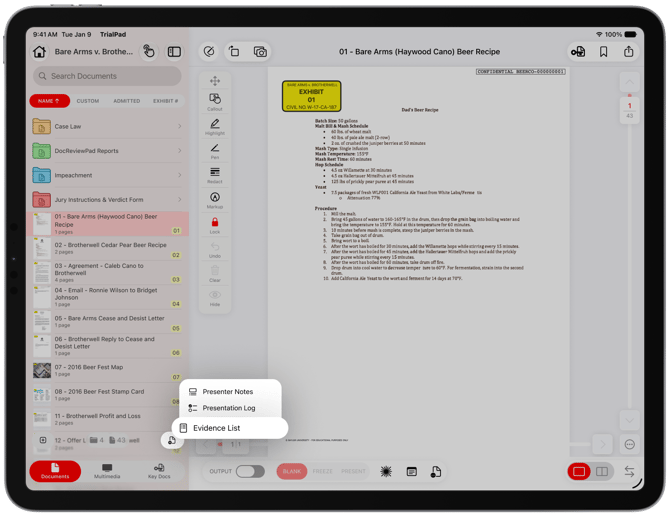
How to Generate the Evidence List
Tap Reports
Select Evidence List
Choose what to include in the Evidence List Report.
How the Report Scope Is Determined
-
To create a report for all evidence in the case, generate the report from the topmost level of the Case File.
-
To report on specific evidence only, place those files into a dedicated folder and generate the report from that folder.
Report Filtering and Sorting Options
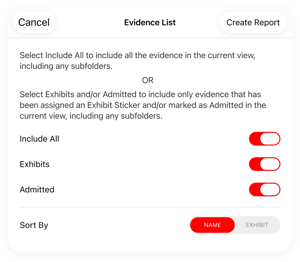
You can customize the report to include only the evidence you need. Available options include:
-
All evidence
-
Only evidence with an Exhibit Sticker
-
Only evidence marked as Admitted
-
Only evidence that has both an Exhibit Sticker and is marked as Admitted
The report can also be sorted by:
-
File Name
-
Exhibit Number
These options make it easy to tailor the report for review, filing, or presentation purposes.