For information on creating Bates numbers, see Assigning Bates Numbers in DocReviewPad.
Ghost Bates Numbers
Documents with Ghost Bates Stamps will never have their DocReviewPad Ghost Bates Stamp included when printing.
Bates Numbers Cut Off When Printing
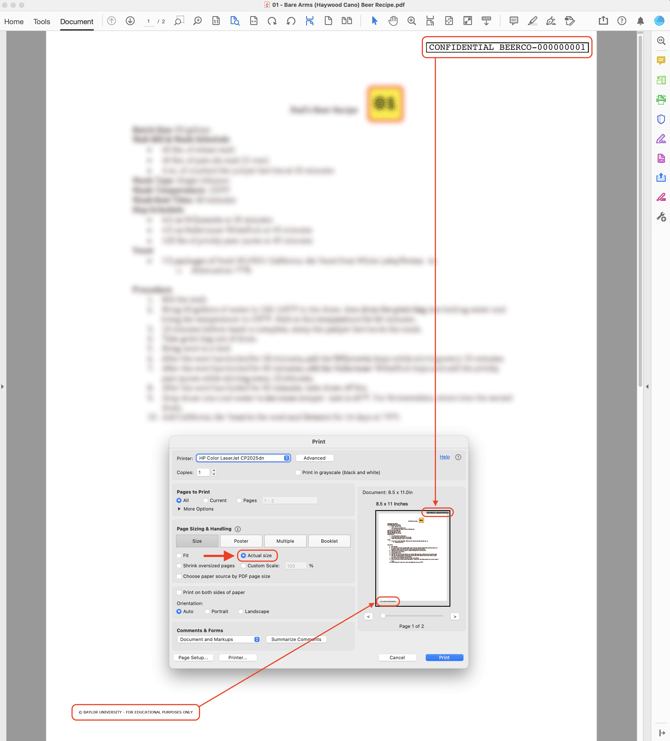
Most printers have non-printable margins near the edges of the page. If a document is printed at Actual Size, Bates numbers or footers placed near the edge may fall inside that non-printable area.
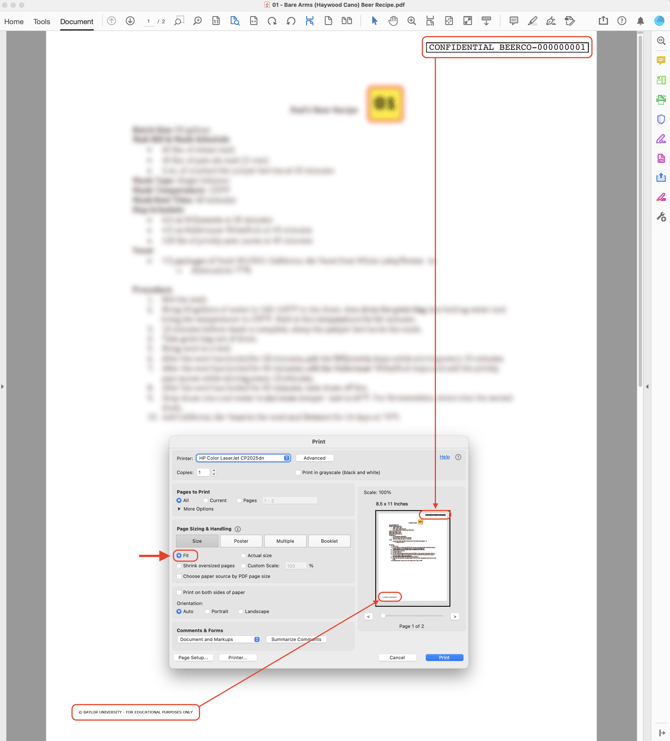
Changing the scaling setting to Fit (or a similar option depending on the printer) slightly reduces the page so the entire page prints within the printable area.
Available options vary depending on the printer and driver being used.