You can update your LIT SUITE apps automatically or manually using the App Store on your device. Some customers prefer to manually update their apps to give them the opportunity to read the release notes in each update.
Manually Update Apps
If you prefer to review release notes before updating, you can update apps manually.
On iPad
Open the App Store app.
Tap your profile icon in the top right.
Scroll to Available Updates.
Tap More to view release notes for an app.
Tap Update next to an app, or tap Update All to install all available updates.
On Mac
Open the App Store app.
Click Updates in the sidebar.
Click More to view release notes for an app.
Click Update next to an app, or click Update All to install all available updates.
Automatically Update Apps
You can set your device to download and install updates as soon as they’re available.
On iPad
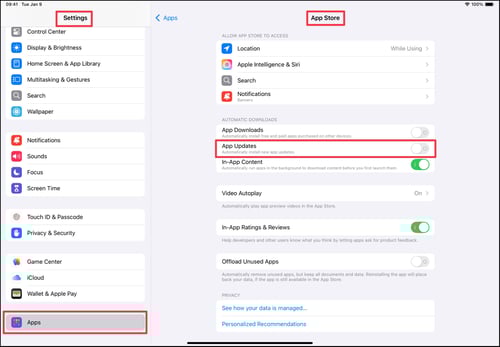
Open Settings.
Tap Apps.
Tap App Store.
Turn on App Updates under Automatic Downloads.
On Mac
Open the App Store app.
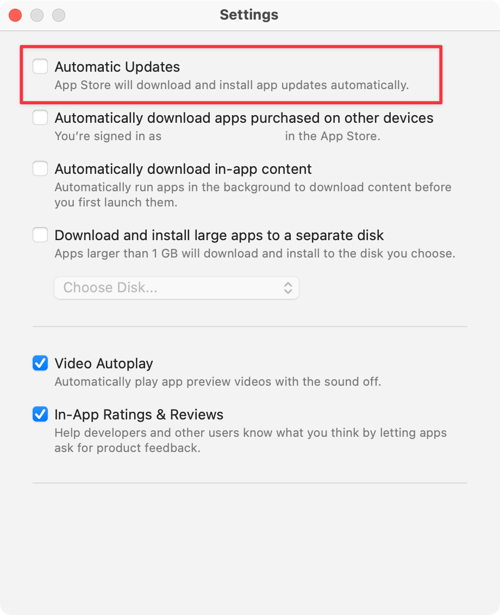
From the menu bar, choose App Store > Settings.
Select Automatic Updates