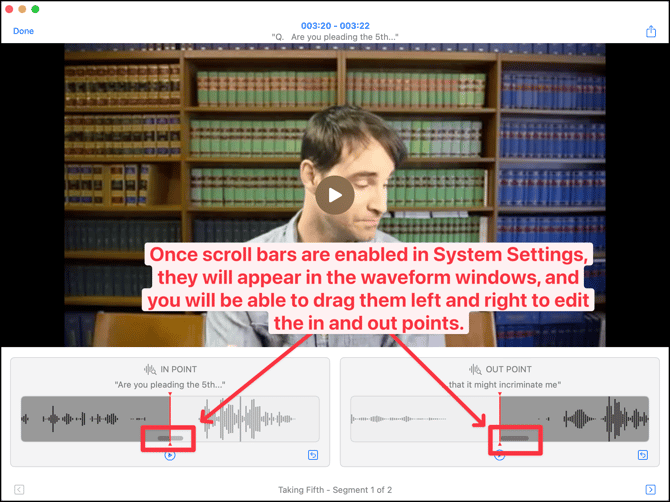
The original user interface design was created for iPad and touch input, and that translates well to a Mac touchpad, or a Magic Mouse with the gesture options that are available in System Settings > Mouse.
If you use a standard mouse and want to click-drag the in and out points you have to enable scroll bars. Go to System Settings > Appearance, and change Show scroll bars to Always. Small scroll bars will then appear in the waveform window so you can click-drag to adjust the in and out points.